International Fluid Power Inc.
International Fluid Power - Innovative Partners For Global Sourcing Of Fluid Power Products. Your Complete Hydraulic Source in SE Minnesota.
An Industrial Panel Mount Monitor is a display built to sit within a control panel, machine enclosure, or operator station. Its front bezel meets the panel surface, while the display and connections sit behind it. This arrangement saves space and gives operators a clear view of production data, equipment status, or process controls. Small details matter. A touchscreen, for example, may be useful when an operator wears gloves, but only if the screen responds reliably in that setting.
Industrial displays are often selected for their mounting dimensions, brightness, touch capability, resolution, and available inputs. The right balance depends on the installation. A bright screen can improve readability near windows or overhead lights, while a sealed front face can make routine cleaning easier. Fit comes first. A monitor that cannot accommodate the panel cutout, cable routing, or operating temperature may create problems, even when its headline specifications look impressive. Not every plant needs the same features.
This article explains how an Industrial Panel Mount Monitor works, where it is commonly used, and which specifications deserve a closer look. It also considers practical questions, such as viewing angle, maintenance access, and compatibility with the connected computer or controller. Product descriptions can make selection seem straightforward; real installations are less tidy. Measuring the opening, checking the environment, and confirming connection requirements help narrow the options. The details may vary by application, so treat general guidance as a starting point, not a substitute for checking the manufacturer’s specifications.
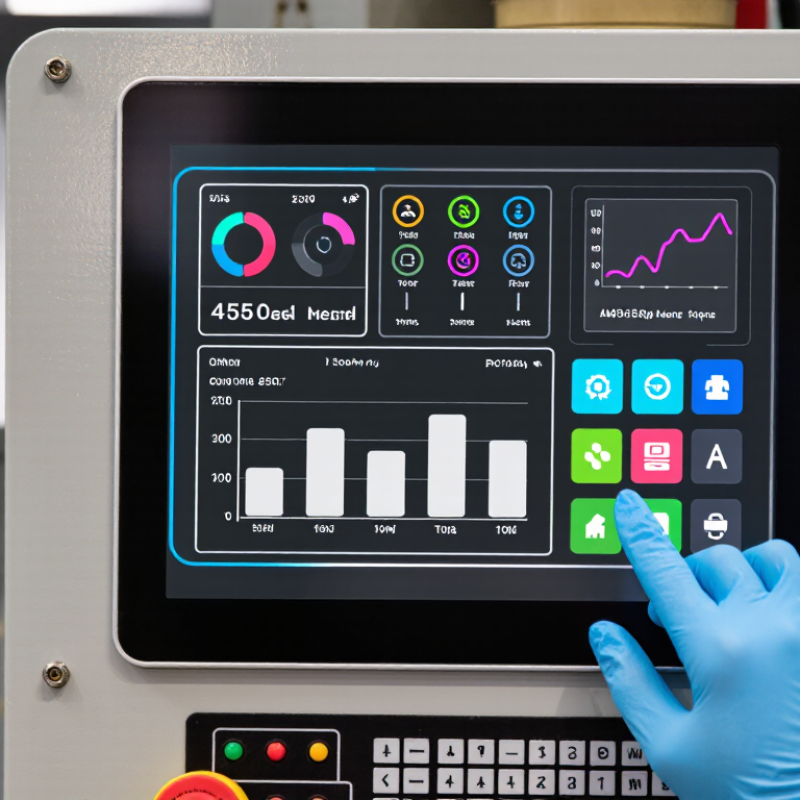
An industrial panel mount monitor is a display designed to sit within a control cabinet, machine panel, or operator console. Its front bezel fits against a prepared cutout, while rear clamps or brackets secure it in place. Unlike a typical desktop screen, it is built for continuous use around equipment, where dust, vibration, heat, and frequent cleaning may be concerns. It usually displays information from a separate computer or controller; it does not necessarily include one.
What defines an industrial panel mount monitor is the combination of mounting design and specified operating limits. Check the cutout dimensions, bezel seal, temperature range, brightness, and supported input signals before selecting a unit. Touchscreen options vary, too. A resistive panel may work with gloves, while projected capacitive touch can feel more like a phone screen. Neither is automatically right for every workspace. An IP rating describes protection under stated test conditions, not immunity to every spill or cleaning method. Small differences matter.
Tips: Measure the panel opening twice, then confirm the monitor’s drawing and clearance behind the cabinet door. Ask whether the screen remains readable under your actual lighting. A specification sheet can look reassuring, yet the installation may still feel cramped. Check cable access and service space before cutting.
An industrial panel mount monitor combines a display, touch sensor, controller board, power supply, and sealed front bezel. The bezel sits flush against a machine cabinet, while rear connectors carry video, touch, and power signals.
Thermal management matters: a fanless aluminum chassis can shed heat without drawing dust through vents. Small details matter. Cable strain relief, glove-compatible touch response, and readable status text can shape daily use.
The display choice depends on the environment. TFT-LCD panels are common because they offer steady brightness and long service life; optical bonding can reduce reflections and condensation between layers.
Resistive touch works with gloves and styluses, while projected capacitive touch supports familiar multi-touch gestures but may need tuning for thick gloves or moisture. OLED provides deep blacks, though static interface elements can raise burn-in concerns.
There is a trade-off. IFR’s World Robotics 2024 report recorded 541,302 industrial robot installations worldwide in 2023, underscoring the growing automation context for operator interfaces. That figure does not measure monitor demand, but it helps explain why clear, dependable machine-side displays matter.
A bright screen alone is not enough. Installers should check viewing angle, operating temperature, ingress protection, and available mounting depth before selecting a panel.
An industrial panel mount monitor sits in a cutout on a machine cabinet or control panel. Its front bezel rests against the panel, while the display body stays behind it. A computer or controller sends image signals through a compatible input, such as HDMI or DisplayPort. Inside the monitor, electronics process those signals and drive the screen’s pixels. The backlight supplies illumination; the pixels shape the image operators see. That is the signal path.
If the monitor has a touch layer, it detects a finger or stylus and reports the position to the connected computer. The software then decides what that input does, such as opening a status screen or changing a setting. Power usually comes from a separate supply, so installers must check voltage, connector fit, and grounding. A loose cable can cause a blank display or intermittent picture. Small details matter.
Tips: Confirm the monitor’s rated temperature range and front-panel protection before installation. Keep ventilation paths clear, and secure cables against vibration. Test touch response with gloves if operators wear them. A setting that works on a clean bench may feel awkward beside a running machine.
An industrial panel mount monitor sits within a machine cabinet or control-panel cutout, leaving its display and controls accessible to operators. The mounting method affects sealing, service access, and stability. A front-flange installation gives a clean face, while rear clamps secure the unit behind the panel. Check panel thickness, cutout tolerance, gasket compression, and room for connectors before fabrication. Small details matter. A VESA-pattern bracket or pedestal can suit installations that need an adjustable viewing angle, but it adds leverage and may increase vibration at the screen.
Integration begins with the machine, not the display. Confirm video inputs, touch interface, operating-system compatibility, and cable routing against the controller and human-machine interface software. Leave enough slack for servicing, but keep signal cables away from noisy power wiring where practical. The International Federation of Robotics reported 541,302 industrial robot installations worldwide in 2023 in World Robotics 2024. That figure signals the scale of automated equipment needing operator interfaces; it does not mean every robot cell needs a panel monitor. In actual installations, heat, gloves, cleaning routines, and awkward viewing angles can matter more than a specification sheet suggests. Teams sometimes overlook those conditions until commissioning, when changing a cutout is expensive.
Industrial panel mount monitors appear on factory lines, packaging machines, control desks, and outdoor kiosks. Operators use them to check process values, acknowledge alarms, and enter production settings without leaving the equipment. Dust matters. In food processing, sealed front bezels can help prevent liquid and cleaning residue from entering the cabinet. Mining and warehouse settings bring different demands, including vibration, changing light, and gloved hands. The right monitor depends on the actual work area, not just the machine’s appearance.
Selection starts with environmental conditions. Check operating temperature, front-panel ingress protection, sunlight readability, touch compatibility, and vibration tolerance. Then confirm the cutout dimensions, mounting depth, resolution, and available connections match the control system. Small details count: a bright display may still be hard to read behind glare, and wet-glove touch performance can vary. Grand View Research valued the global industrial display market at USD 6.91 billion in 2023 and projected 6.8% compound annual growth from 2024 to 2030. This market-wide estimate is not specific to panel mount monitors, so it should not be treated as a purchasing forecast. A site trial under real lighting and with the intended gloves can reveal issues a specification sheet misses. I would still allow time for that test.
This is an example of a widget area that you can place text to describe a product or service. You can also use other WordPress widgets such as recent posts, recent comments, a tag cloud or more.
© 2025 International Fluid Power, Inc. All Right Reserved.